Responsive Multi Device Design project for school
Assignment
For this project, it was important to design a product that uses multiple devices with different types of screens.
I stepped a bit out of my comfort zone by coming up with a concept in which smart glasses play a major role. I learned a lot and enjoyed working on this assignment.
I will try to present my process briefly, concisely, yet comprehensively.
Concept
CityLens is an app that lets you plan a walking tour in a capital city of your choice. During the walk, you wear smart glasses that provide information about landmarks in the city and guide you to museums.
In my original idea, I first thought about using a smartwatch, but in the end I chose smart glasses. This is because I wanted to do something I had never done before.
How my idea developed further can be seen in my process!
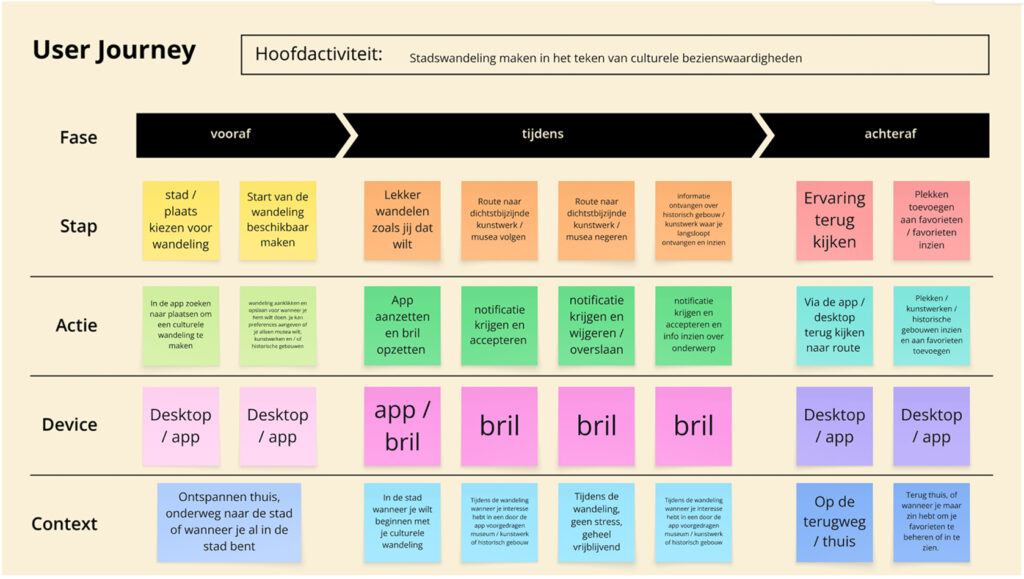
User Journey
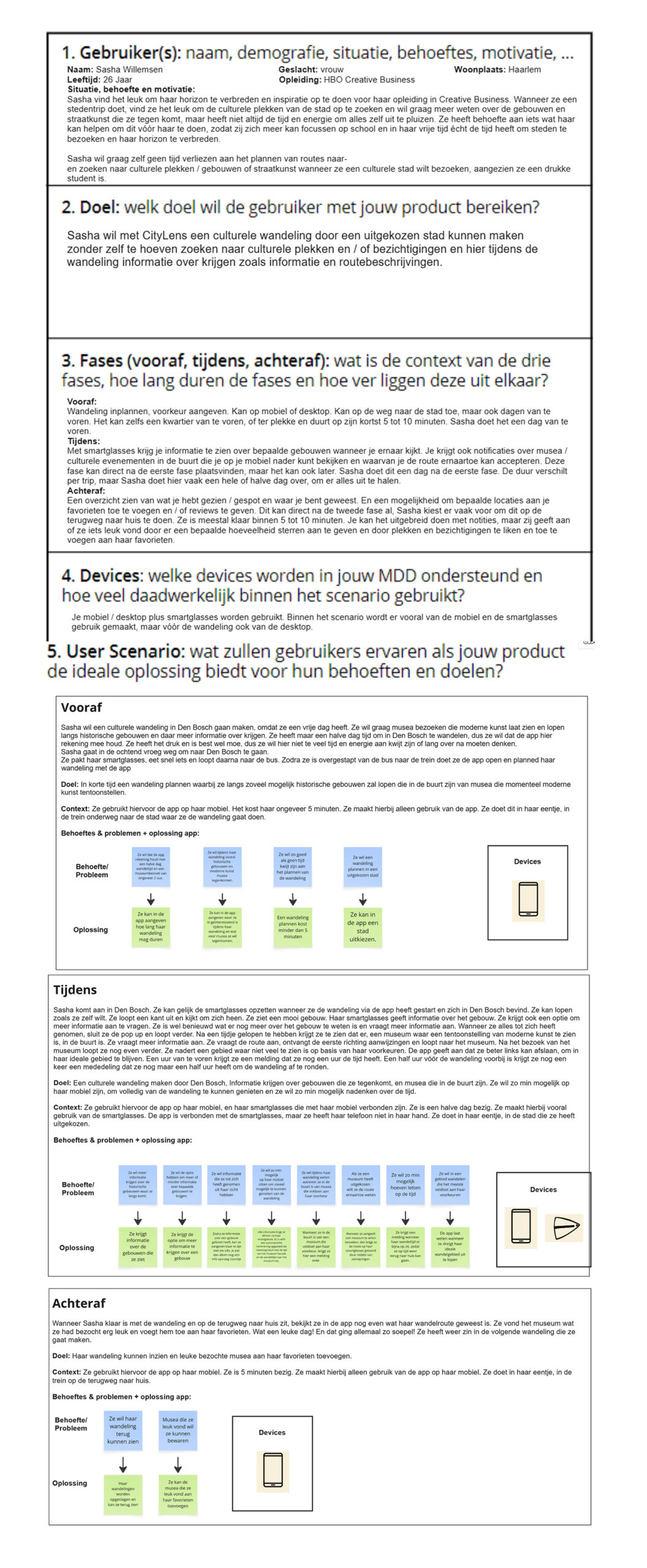
User Scenario
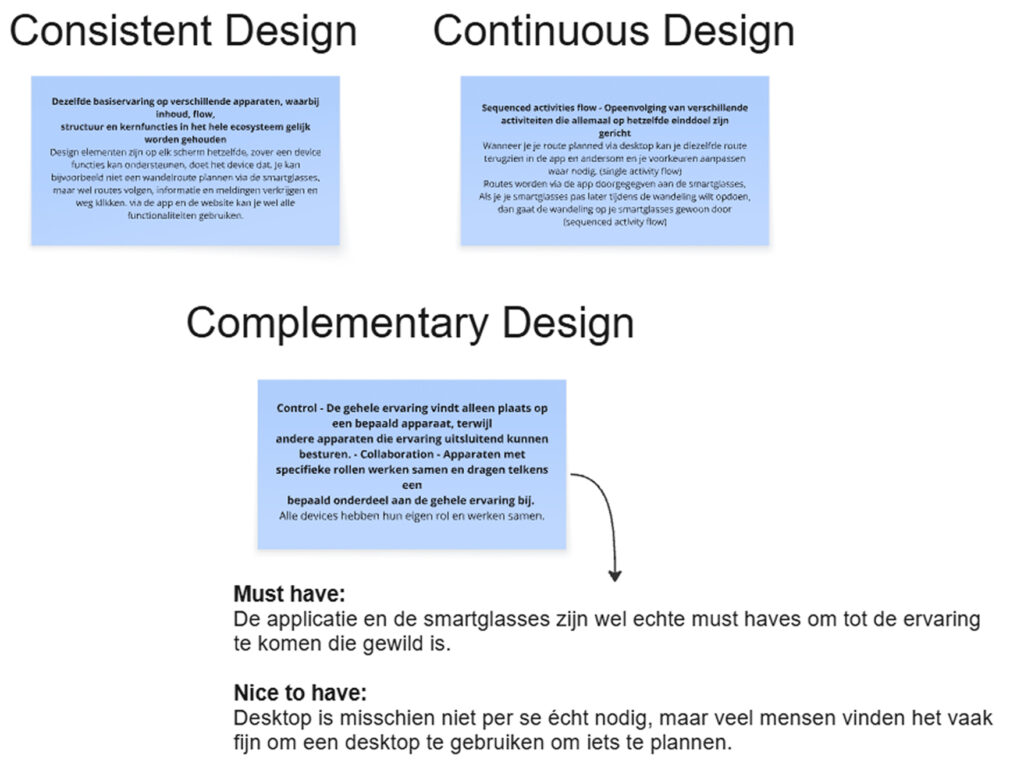
Consistent, Continuous & Complementary Design
First Design
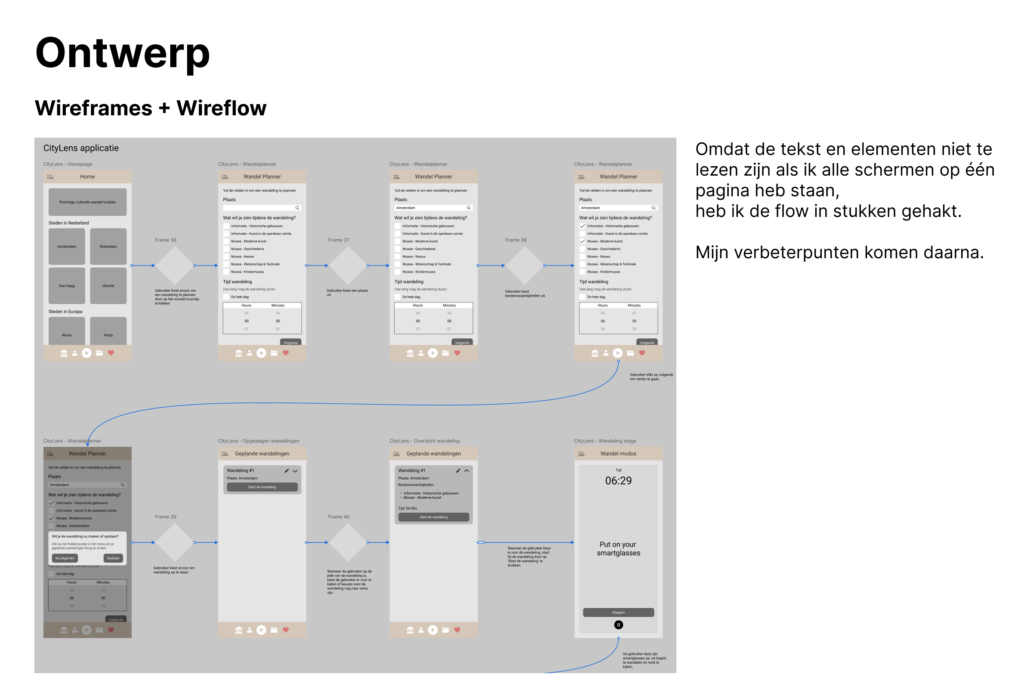
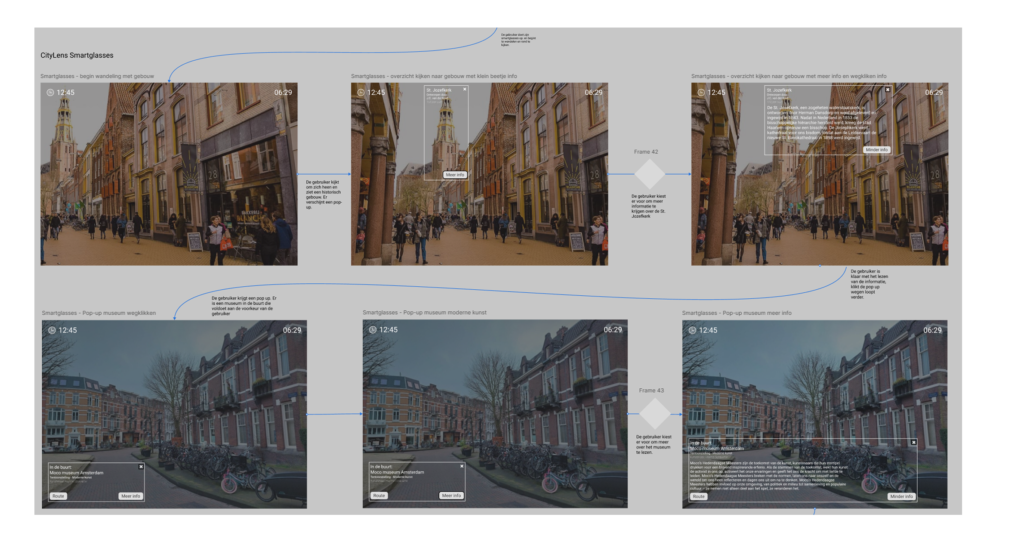
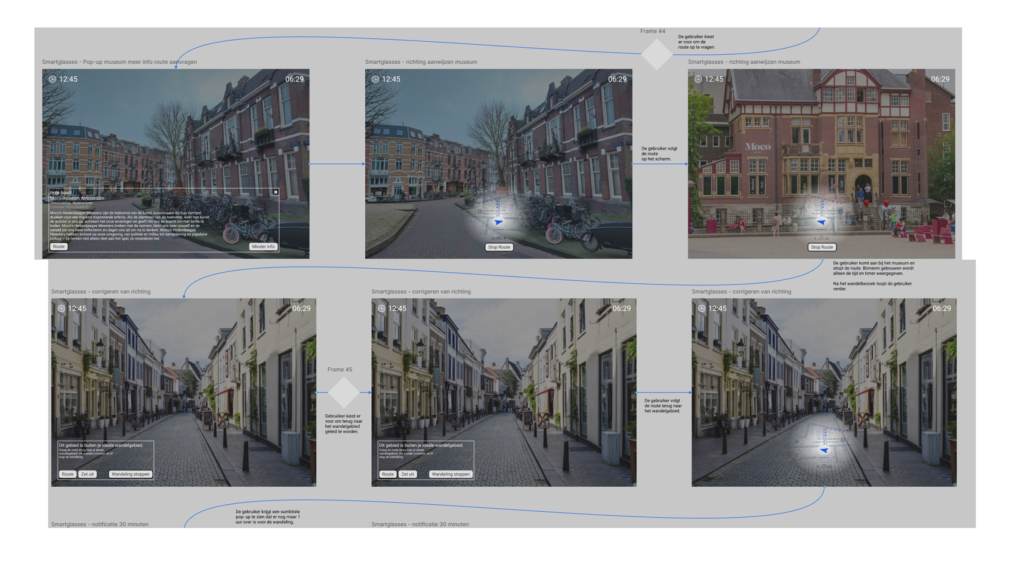
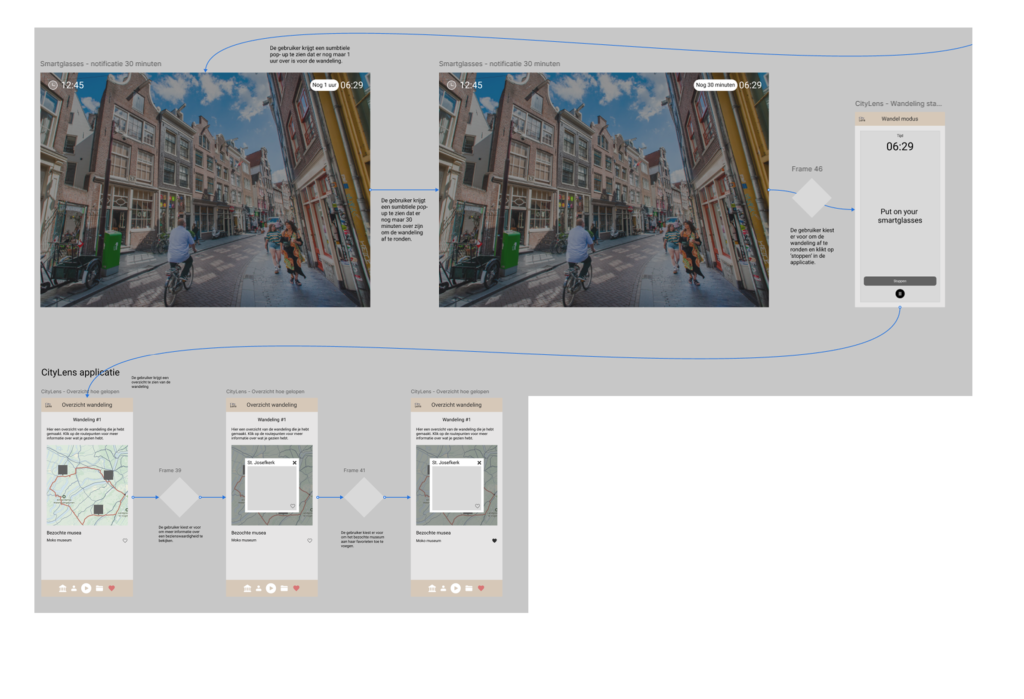
What to improve?
- Think about consistency
- Make your screen flow clean
- Consider the UI stack
- Improve the hierarchy
- Add interactive elements
- Some screens are unnecessary and can be removed or simplified.
Inspiration
As inspiration, I looked at other applications such as Strava, Google Maps, and Airbnb.
Hi-Fi screens
For the screen flow and hi-fi design of my screens,
I changed several things.
- I added an empty state from the UI stack.
- The home page now indicates what the product is about, making it clearer.
- I made the entire design consistent in terms of color, components, layout, and interaction.
- I removed unnecessary screens, making my screen flow more organized.
- In the overview of the completed walk, I placed all landmarks visually on the map instead of splitting them. This is more consistent and also much cleaner.
- I improved the hierarchy using whitespace, differences in size, and color.
- I added interactions.
- I put everything in auto-layout for a clean and polished look.

Screenflow
After finishing the hi-fi screens I made a screenflow showing a happy flow that follows the User Journey.